Writeup
EGCTF25 Digital Forensics Writeup
Digital forensics challenge analysis focused on host artifacts, evidence handling, and investigation flow.
Writeup
Digital forensics challenge analysis focused on host artifacts, evidence handling, and investigation flow.
Hello, it’s me, xElessaway.
First of all, Alhamdulillah, for everything and anything.
Special thanks to Islam Mostafa (0x01g33k) for the really interesting DF Challenges in Quals and finals (as always 😄), also thanks to Moaz for his big help in solving these challenges, and thanks to the rest of the team ❤.
Challenge Files:
All challenges are available here:
https://mega.nz/folder/onVDHTbT#yJX_afNjhy95OOLxpOPu0w
The finals consisted of 6 Digital Forensics challenges:
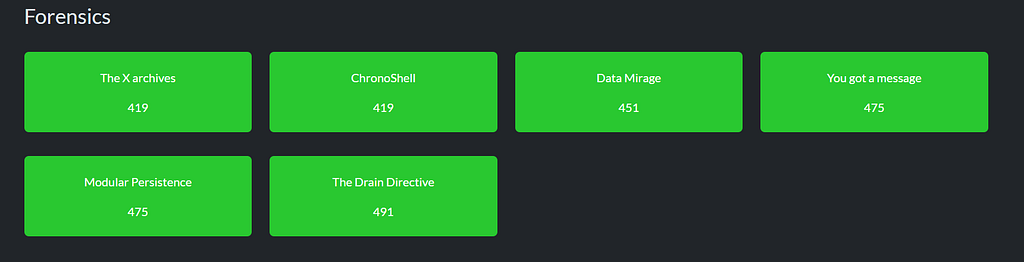
Let’s start with the most solved one The X Archives.
During a regular investigation, our DFIR engineer stumbled upon the path to the archive, which the perpetraor claims he didn't download it or access it. Could you get the path of the file?

Flag Format: EGCTF{Drive:\example\example\file.xxx}
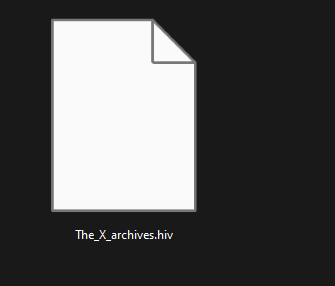
In this one, we got a hive (which is a registry in other words :3). So let’s use Registry Explorer or any registry viewer.
So in the description, we need to find the archive, so we found that installed apps for archives 7zip and WinRAR. Checking both registries.
SYSTEM\WinRAR\ArcHistroy
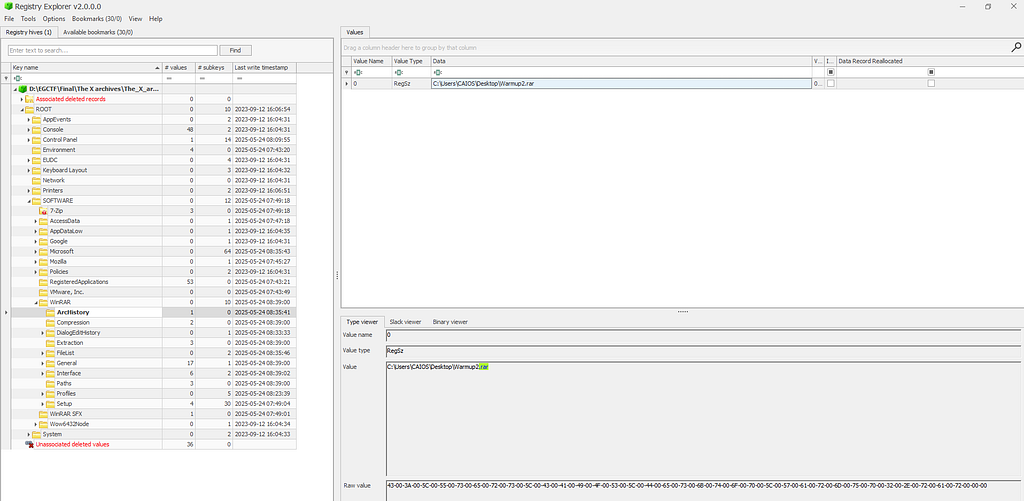
Showed us the archive we are looking for :D ❤
EGCTF{C:\Users\CAIOS\Desktop\Warmup2.rar}Let’s move to the second one, which is ChronoShell.
A hacker managed to gain persistence on the dev team's head machine, our DF team did their best to figure out how did it happen. Could you figure out who did it?

Flag Format: EGCTF{mail}
. We got the etc folder, which is a part of the UNIX file system. So we need to find the email address. So, taking a look
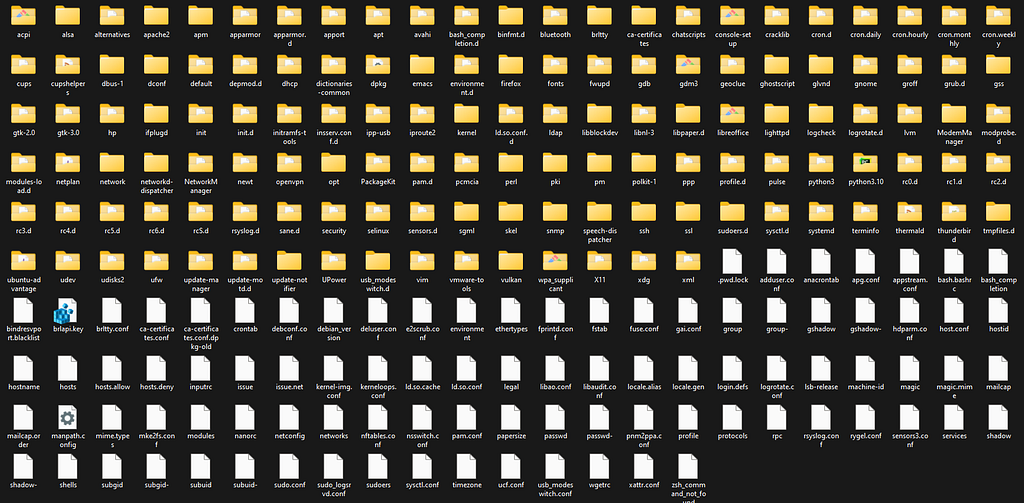
now. What's wrong with you? So, after deep research and focus, you will notice that a weird SSH key within systemd/system/ssh.service

so that's the one we are looking for. :3
EGCTF{baxoci2450@pricegh.com}let’s move to the next one :D
Let’s move to Data Mirage
Our team was able to acquire a logical image from the perpetrator's machine, but they couldn't find the file which the perpetrator opened, could you find the file?

Flag Format: EGCTF{SENTENCE}
In this one, we got (.ad1 file), so let’s use FTK Imager or Autopsy to check what's inside it.
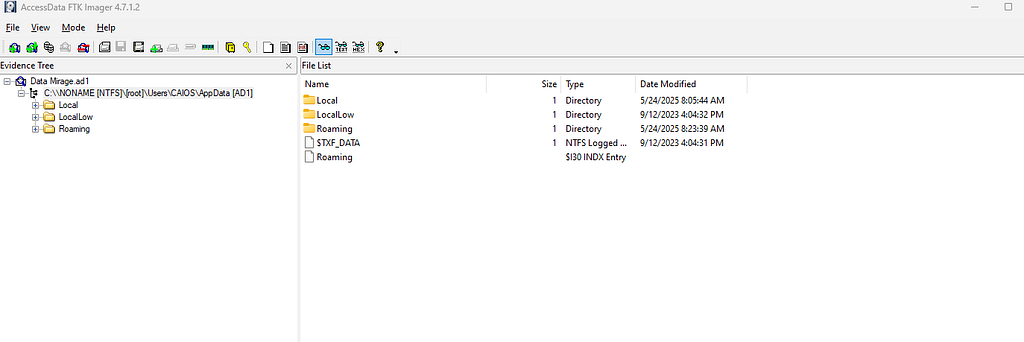
We got only the user's appdata folder. So it says the perpetrator opened, so we know that the Temp folder in local caches some files, especially archives. So, taking a look at the rear.
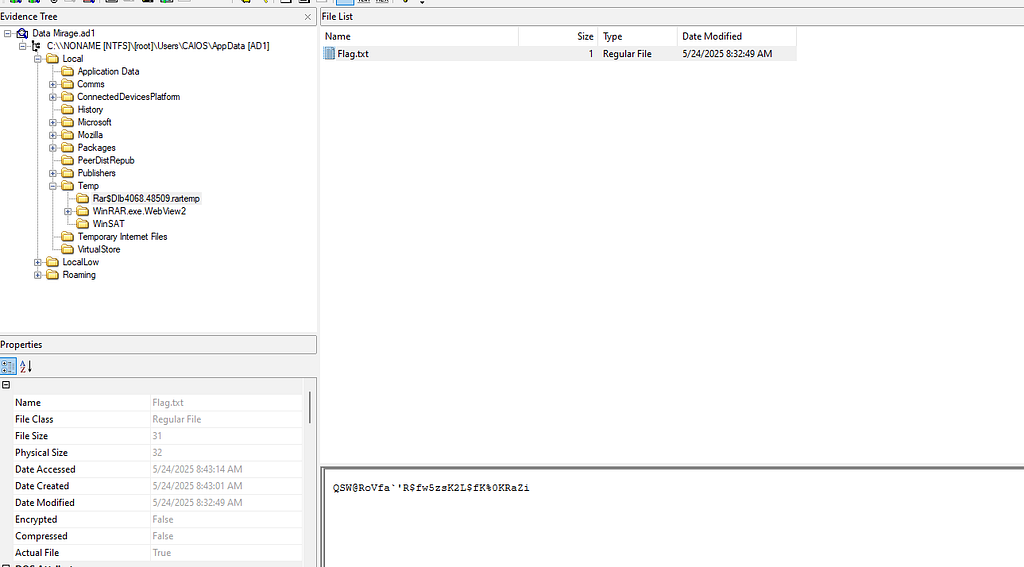
That will show an interesting file called. Flag.txt Taking that data and using our favorite site, cyberchef, and xoring brute-force it with known text, EGCTF
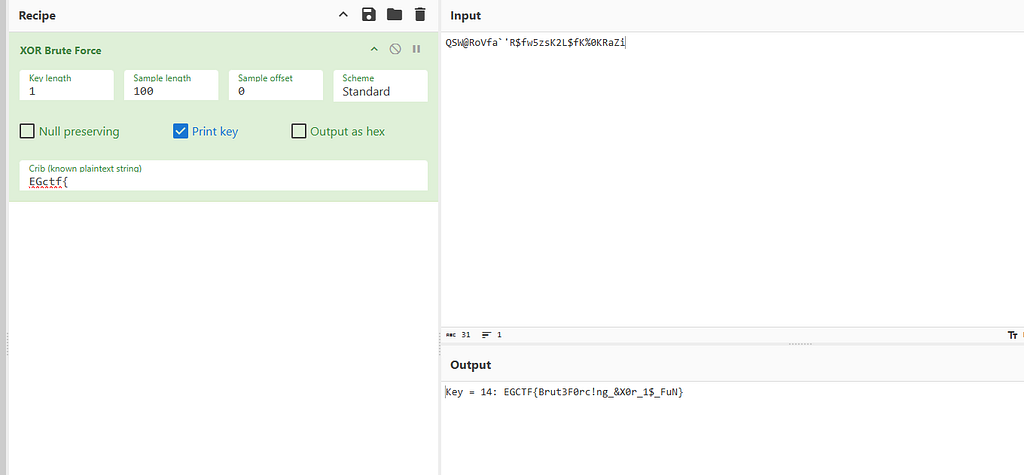
the flag shows up :D
EGCTF{Brut3F0rc!ng_&X0r_1$_FuN}Now we are moving to You got a message
Our Digital Forensics team acquired a sim card image for the notorious criminal R.Red, your task as a Digital Forensics analyst to retrieve the messages from the sim card ,the number which the message was sent from, and the perpetrator's username who sent it.

Flag Format: EGCTF{Mob No.,message,username}
In this one we got (.img file), so don’t close FTK imager boiz, we need it again. Let’s take a look at it
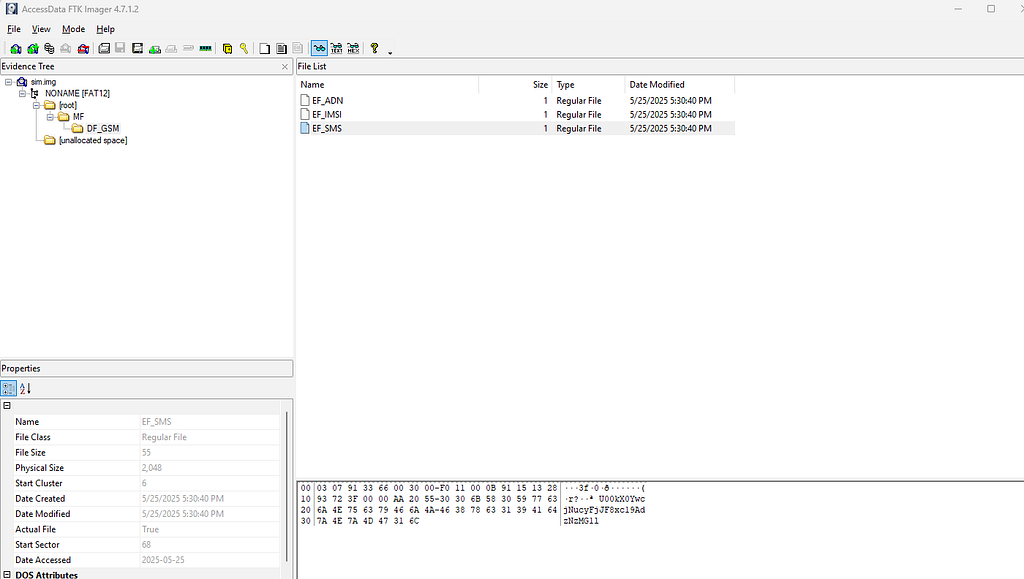
. We got SIM files, so all we know is the base64, which is the message.
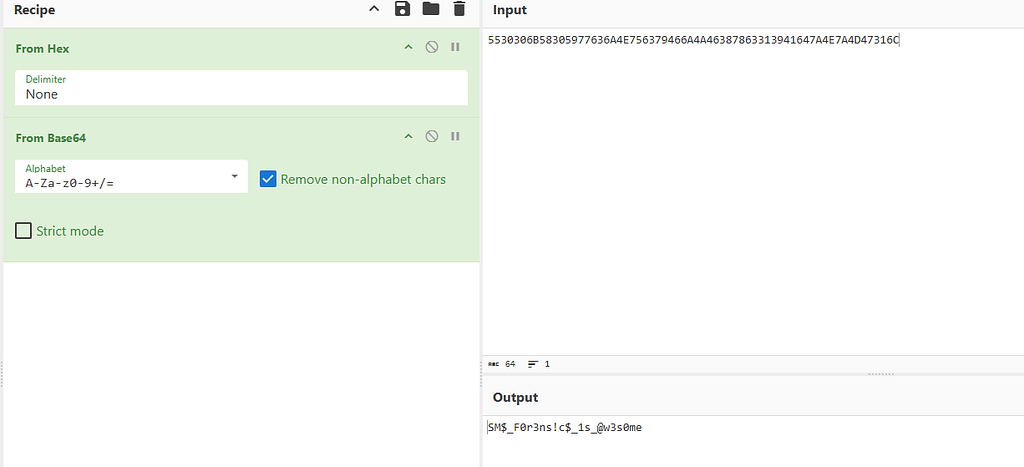
Now we need to get the phone number and username. But make sure Alice wasn’t the username and that was tricky :3. So after deep searching in reports, I decided to ask chatGPT here is the session: https://chatgpt.com/share/68360ebd-b5c8-8009-863a-25c17a0206b7
So we got the number now (+15132893723), so we have 2 parts now. And a simple OSINT will help us to get the third one, the username visiting the famous site scamsearch.io, and search for that number. In the advanced tab, filter to mobile phone
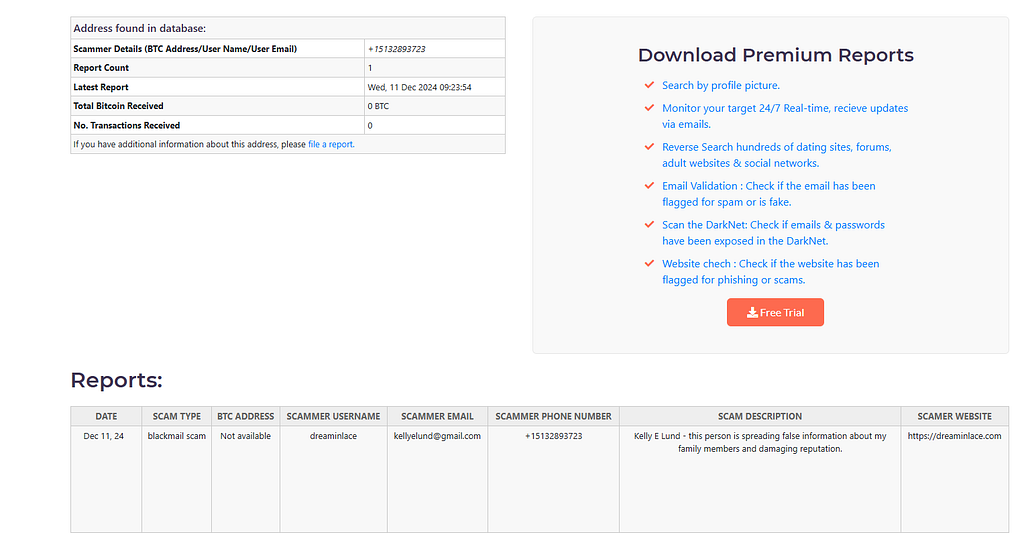
And now we have 3 parts of that flag ❤
EGCTF{15132893723,SM$_F0r3ns!c$_1s_@w3s0me,dreaminlace}let’s move to a new one :D Modular Persistence
During a routine threat hunting engagement, our DFIR team detected an unusual outbound connection originating from the CEO’s Linux workstation. The connection was ephemeral, our team managed to acquire two directories which they suspect to be the cause of the incident. The connection is suspected to be hidden in some parts of the kernel, could you find the C2 which is used in the connection?

Flag Formt: EGCTF{something something}
So in this one, we are looking for C2 communication,n, and we have only 2 UNIX directories (etc, driver)
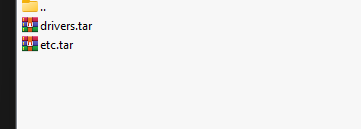
So I focused on the drivers, so let’s go and check what we got.
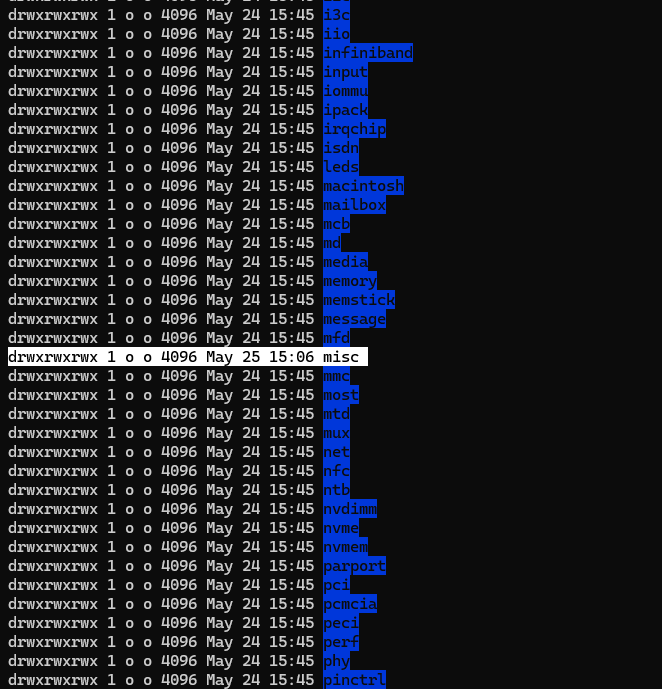
Checking the timestamp let me notice that the misc directory had an earlier modification. So let’s take a look inside it.

One kernel module seems legit, but that one is (lp.ko) that L not I I knew it when I tried to strings on it 🤡

So, oh yeah, let’s take this to IDA.
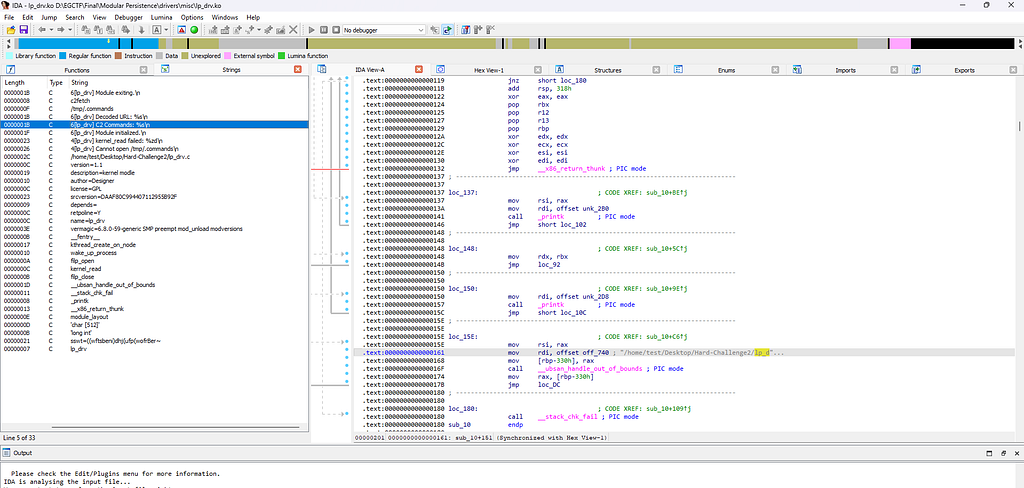
And oh yeah, found interesting things in strings in IDA.

These strings seem weird, let’s.
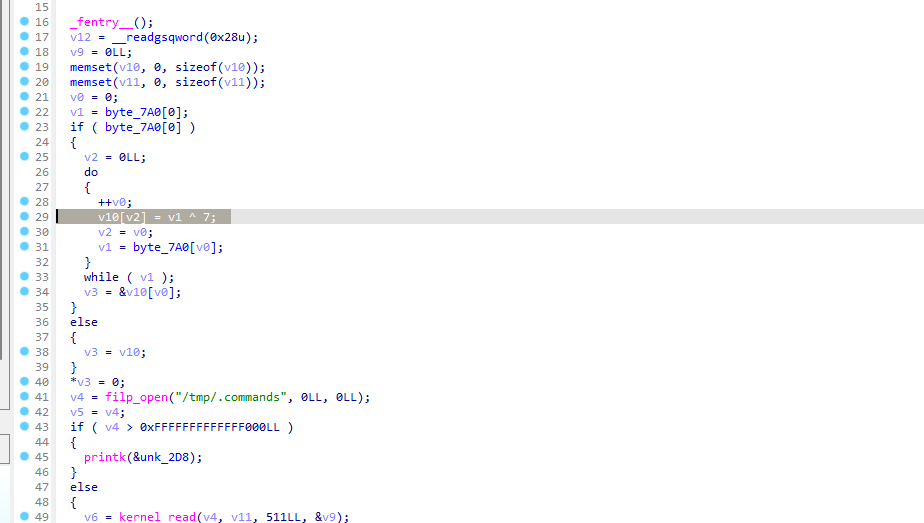
Analyzing the function shows that it XORs with key 0x07
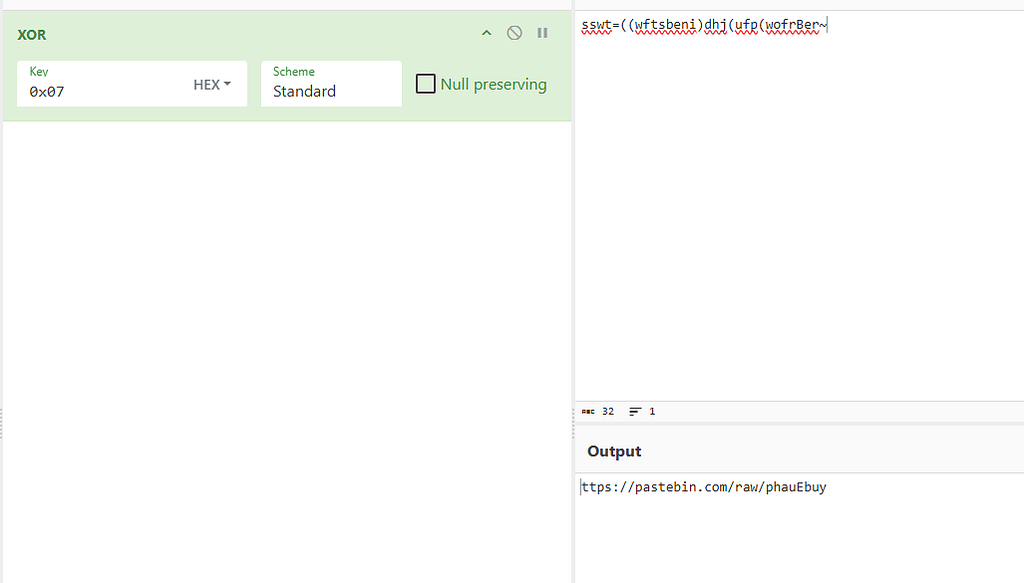
Bingo, we got a pastebin link
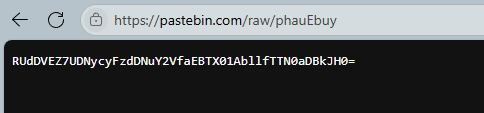
And we got the flag :D
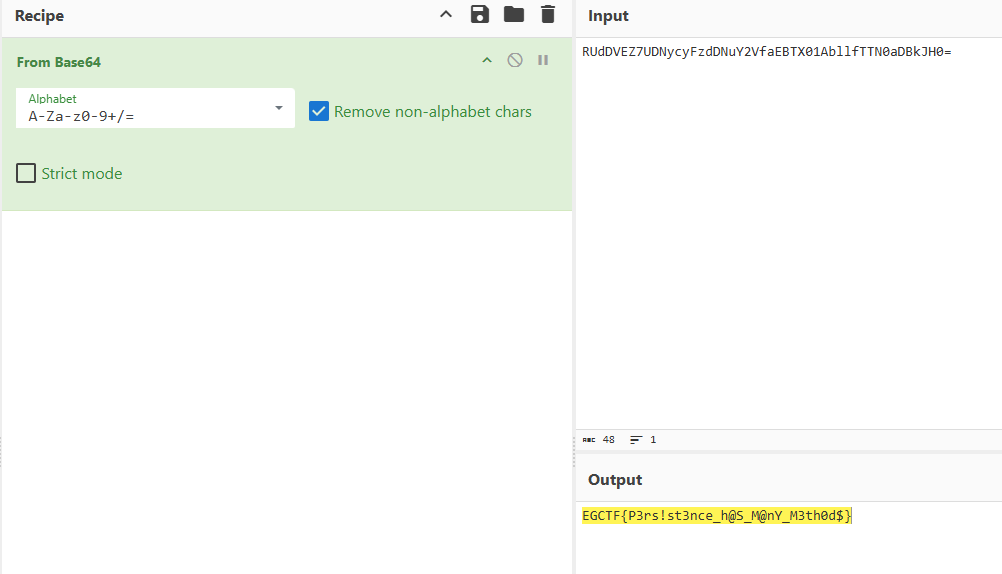
EGCTF{P3rs!st3nce_h@S_M@nY_M3th0d$}Now let’s move to the final one, the blockchain 💀 The Drain Directive
A hacker managed to exploit a vulnerability in a DeFi bank smart contract, he was able to transfer all the money from the bank's contract to his wallet, your task as a DF analyst is to find the attacker's wallet, and analyze the hacker's malicious smart contract to find the function which is responsible for the withdrawal.

Contract address: 0x228de92D039C480d3951597AFe4d434344004A9f

Flag Format: EGCTF{address,opcode hex}
So in this challenge, we only got the contract address, so we need to find who is behind this on :D. So first, we don’t know the currency we are looking for, so let’s visit Blockchain Explorer — Bitcoin Tracker & More | Blockchain.com
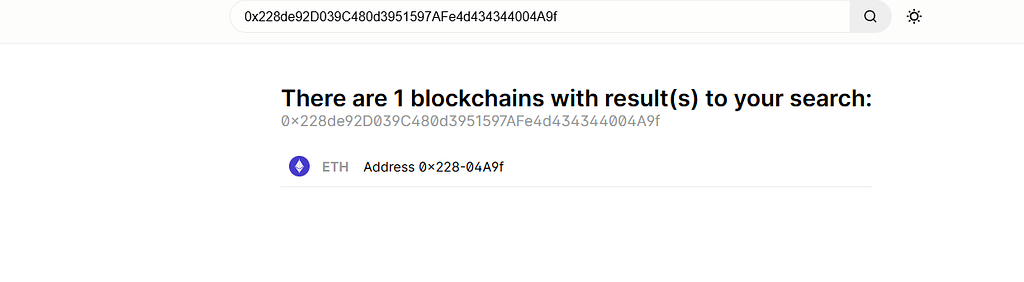
Okay, good start. We have the currency now, which is Ethereum

, and oh nooo we don’t have any activity, so let’s see ethscan.

Oh, Ya Allah. What are we doing 😰 So there are other chains of ether while trying Similar Contract Search | Etherscan
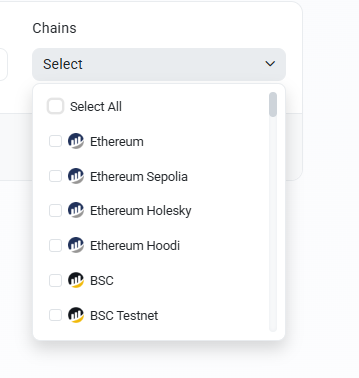
So, trying to check on all Ethereum chains
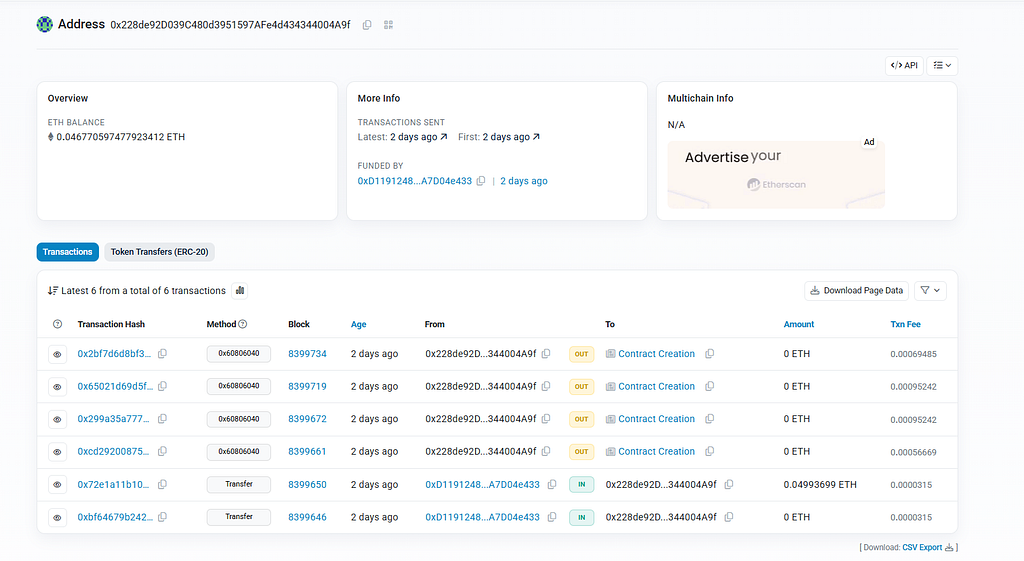
Boom bingo sepolia Etherum. Address 0x228de92D039C480d3951597AFe4d434344004A9f | Etherscan, and as we can see, the attacker address is 0xD1191248aA452F5a97B06AFfB856303A7D04e433
So we need the second one, which is the opcode with the function name. So, going through the contract creation to check the functions.
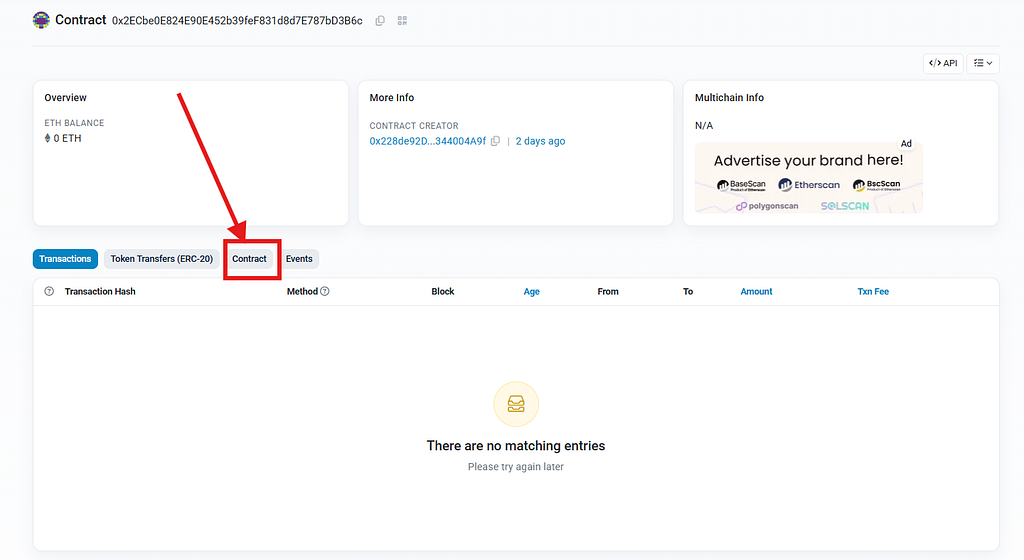
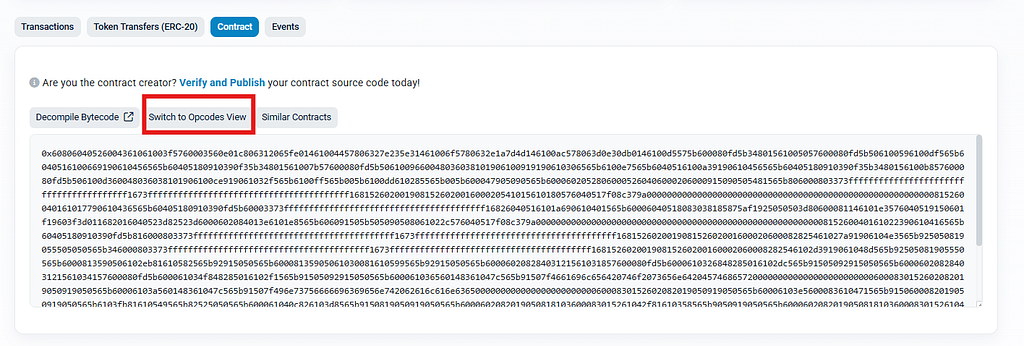
So I suspected 2 of these contracts. But why?

I’ve noticed that 2 contracts have this where there were exact matching bytecodes. So I took the code and asked Claude and ChatGPT to analyze it for me to get the function name, and in the end, we got the correct function.
EGCTF{0xD1191248aA452F5a97B06AFfB856303A7D04e433,PUSH4 0x2e1a7d4d}And that’s it. Alhamdullilah for everything and anything. I hope you enjoyed my writeup and hope a nice life for you all guys ❤ Mwah.